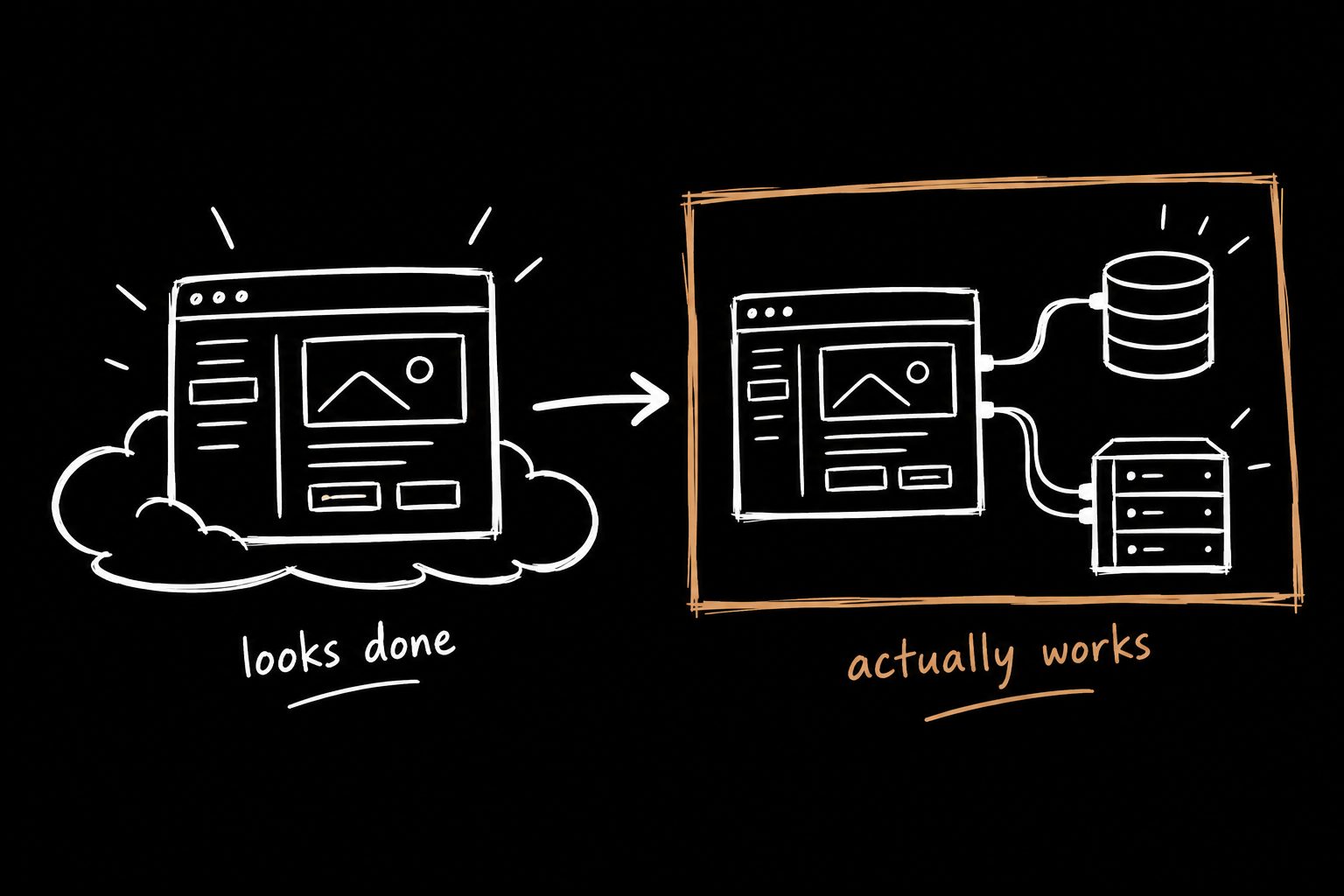
The AI prototyping workflow I actually use (and where it breaks)
Speed doesn't let you skip the fundamentals. It tells you, fast, which ones were real. Here's the workflow, the prompt, and the places it'll burn you.

I ran a quick poll asking newsletter readers what they wanted more of.
I had a guess. I was wrong.
AI workflows in real product work: 60%. Real product breakdowns: 40%. Everything else: basically noise.
Small sample, but clear enough. Most of what's out there about AI in design is still surface level. Tools. Prompts. Outputs. A lot of it is just noise, and honestly a bit of bullshit.
What people actually want is how this shows up in real work. Where it saves time. Where it breaks. Where it makes you look smart, and where it makes you look dumb if you're not careful.
So here's mine.
The real shift isn't generation. It's feedback.
AI can generate things. Fine. That's not the interesting part.
The interesting part is that it collapses the time between having an idea and finding out it's wrong.
Which means the fundamentals matter more, not less.
When a tool builds while you're still deciding, you find out fast which of your rules were real and which were just habits. Wireframes before logic? Habit. Knowing what problem you're solving before you build? Real.
Learn it to break it.
Skip the fundamentals and the tool just ships the wrong thing faster. Know them cold and you spend less time making things and more time deciding what's worth making.
The workflow, step by step
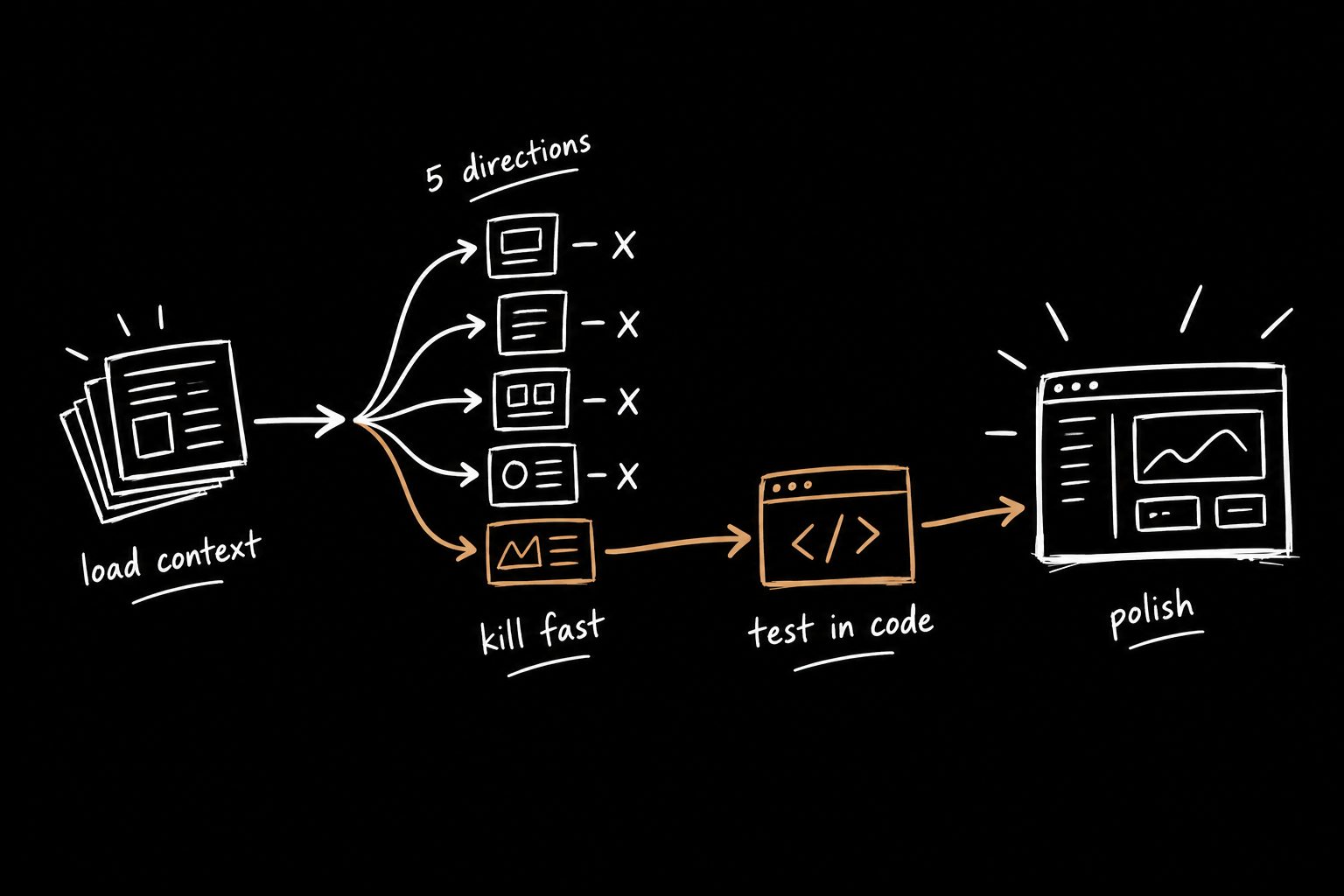
1. Load context before asking for anything.
I use Claude as my main tool, connected to GitHub, Atlassian, Figma and Slack, so it has real context. It knows the product, the constraints and how things actually work.
When I start a feature I don't jump into design. I load context first. PRD, notes, screenshots, anything that shows how the product behaves. I feed it in step by step and tell it to wait.
If you don't have a PRD yet, start with the PRD template I use. The quality of everything after this step depends on it.
2. Generate 4–5 directions in separate threads.
Not to find the best UI. To see what breaks.
This is where bad ideas die. Usually two of them fall apart right away. That's the point.
3. Stress test the survivors.
I take the best one or two and ask it to critique the flow and point out risks. Not because it's always right. Because it helps me catch things faster.
4. Build the risky part in code.
For anything with real logic, I build a quick version in Cursor and use it. That's where the problems mocks hide show up. I wrote about why in Cursor for designers.
5. Polish in Figma.
Once the logic holds up, I move to Figma and clean it up.
What used to take hours now takes about 20 to 30 minutes to explore and kill bad ideas early.
The exploration prompt
Here's the prompt I use for step 2. Copy it and adapt it.
I'm a product designer working on a feature inside an existing system
with real constraints (design system, data models, user expectations).

I've provided context including product behavior, requirements, and research.
Do not generate a solution yet.

First, confirm you understand:
- the goal of the feature
- the constraints of the system
- the expected user behavior

Then, generate 4-5 different solution directions.
These are not final designs. These are exploration paths.

For each direction:
- describe how inputs flow through the system
- explain how outputs are affected
- call out where the logic might break or fail
- identify any edge cases or missing states

After generating directions, evaluate:
- which concepts are worth exploring further
- which should be killed early
- where the system behavior might confuse users

Do not optimize for polish. Optimize for:
- exposing bad ideas quickly
- revealing logic gaps
- identifying points of failure

Assume this will be used in a real production system, engineering
constraints are non-trivial, and anything that looks right but doesn't
hold up logically is wrong.

I'm not looking for a perfect solution. I'm looking for the fastest
way to figure out what doesn't work.
The most important line is "do not generate a solution yet." Skip it and you get a confident answer to a question you haven't finished asking.
Where AI prototyping breaks (and where people get burned)
It will hand you a wrong answer with the confidence of a guy who watched one YouTube video on the topic. And it will absolutely fuck things up if you trust it blindly.
It will make up copy. It will invent edge cases. It will suggest things that would never work in your real product.
Anything beyond quick UI needs to be checked. Every time.
If you don't, you'll present something that looks good but is wrong. That's how you lose trust and look sloppy, fast.
AI prototyping tools: what I use each one for
| Tool | What I use it for |
|---|---|
| Claude (with connectors) | Loading context, exploring directions, critiquing flows, drafting PRDs |
| Cursor | Building the risky logic in real code and testing edge cases |
| Figma | Visual polish, design system alignment, handoff |
| Voice chat | Talking a messy product idea out before writing anything |
The tool matters less than the order. Context, then exploration, then real testing, then polish.
Faster building makes the kickoff matter more
Here's the uncomfortable part. When building gets cheap, building the wrong thing gets cheap too. Teams are shipping more than ever, and a lot of it isn't translating into business impact.
The thinking upstream is the bottleneck now. What are we actually solving? What are we not solving? What does success look like? If you can't answer those, AI just helps you ship the wrong thing faster.
Here's how I run a project kickoff meeting that forces those answers, and the UX metrics I'd use to know if it worked.
Builder Kickoff™ is the front half of this workflow, packaged. Run the session, record it, and get the PRD and a prototype prompt you can paste straight into step 1.
Try it this week
Don't change everything.
Pick one slow step and replace it. Wireframes. Exploration. Copy. Anything that delays real feedback.
Then watch what happens. Worst case, you wasted an afternoon. Best case, you stop burning a week on wireframes that prove fuck all.
AI prototyping FAQ
What's the best AI prototyping tool for product designers?
The one that fits the step. I use Claude for context and exploration, Cursor for real logic, and Figma for polish. The order matters more than the brand.
Will AI prototyping replace wireframes?
For logic-heavy features, it already has for me. Wireframes weren't proving anything about whether the system works. For simple layouts, quick sketches are still fine.
How do I stop AI from making things up?
Load real context first, tell it to wait before generating, ask it to flag assumptions, and check everything beyond simple UI against the actual product.
How long does this workflow take?
Exploring directions and killing the bad ones takes me about 20 to 30 minutes now. Building the risky part in code depends on the feature.