
Empowering business analysts with AI tools
Cutting ML project timelines from weeks to days
Making machine learning accessible to business analysts · without requiring a single line of code.
The Constraint
Kepler was built to support advanced machine learning workflows inside an organization with strong data science capabilities.
The problem was not access to models.
It was who could actually use them.
Machine learning tools existed, but they were locked behind technical expertise. Business analysts were expected to influence decisions using data, yet the systems required programming skills, long setup cycles, and constant support from data scientists.
As demand for insights grew, data science teams became bottlenecks. Business analysts waited days or weeks for models to be trained, adjusted, or rerun.
This was not a tooling gap.
It was an access and decision bottleneck.
Ownership
I owned the product decision to expose machine learning workflows to non technical users without sacrificing rigor or trust.
As Director of UI and UX, my responsibility was to translate internal data science tools into a guided system that business analysts could operate independently. This included defining the workflow structure, determining which decisions required user input, and removing unnecessary technical complexity.
The goal was not to teach machine learning.
The goal was to remove dependency on data scientists for routine analysis.
The Decision
The decision was to productize existing internal machine learning pipelines into a linear, guided workflow.
Instead of exposing models and parameters directly, the system would ask users only for inputs that influenced outcomes. Training, validation, and deployment would be handled by the platform.
This shifted machine learning from a specialized task into an operational capability.
Research and Discovery
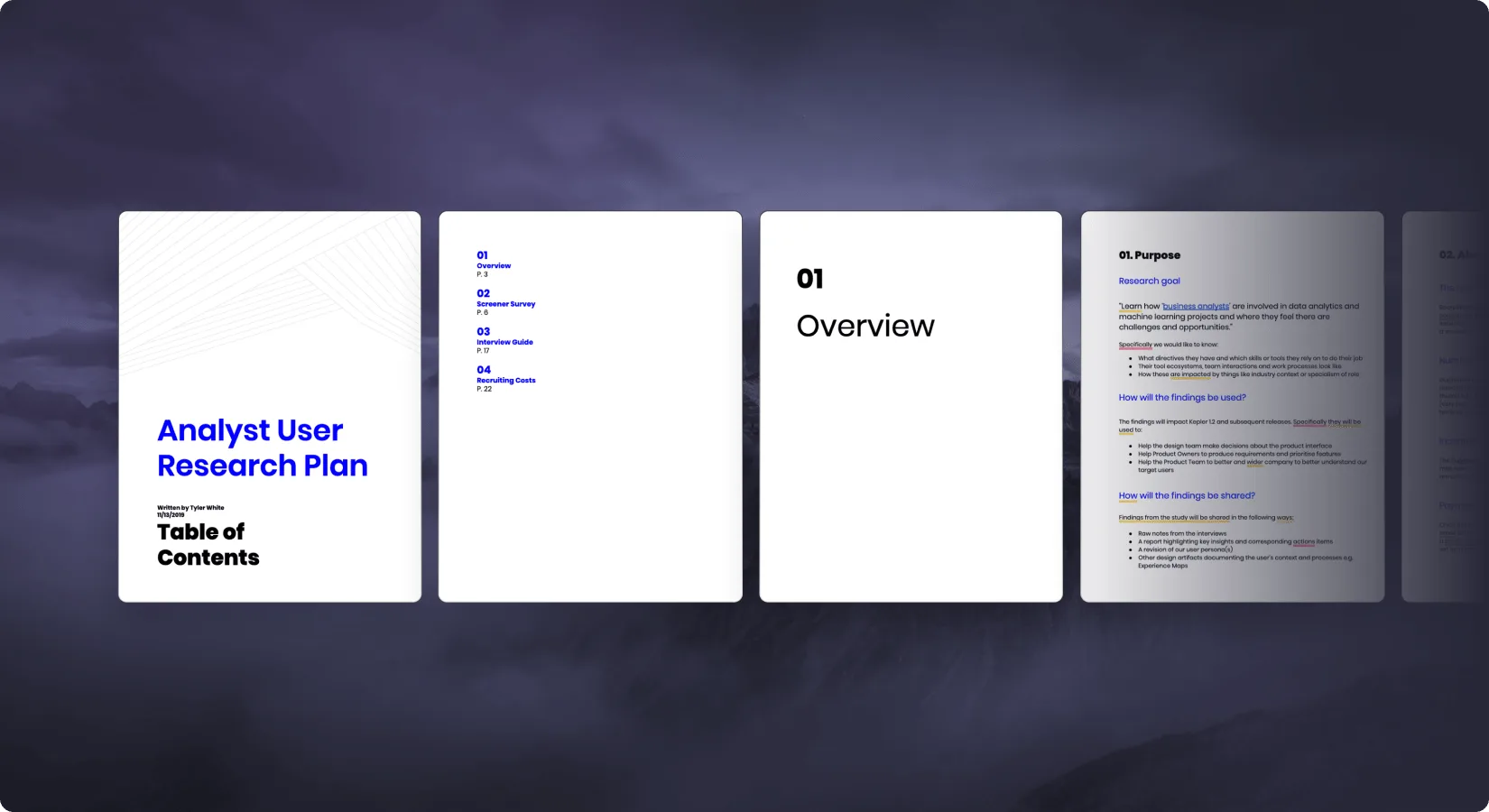
We ran two parallel research tracks: interviewing business analysts to understand how they actually made decisions, and interviewing data scientists to understand how their internal tools worked.
- Business analysts spent days waiting for data science to run models they couldn't run themselves. The bottleneck wasn't the model · it was access.
- The most common phrase across interviews: "I just need the output · I don't need to understand how it works." This reframing drove the core design decision: expose inputs that affect outcomes, and hide everything else.
In parallel, we also:
- Conducted interviews with our internal data science team: Aimed to comprehend the internal tools they’ve developed.
- Objective of interviews: Understand how the tools could be productized for more extensive usage.
- Goal: Understand the technical aspects that could be simplified for business analysts without compromising the functionality needed by data scientists.
The core design principle that emerged: analysts needed to drive outcomes, not understand models. The platform would handle training, validation, and deployment. Analysts would only see what affected their results.
Design Process
Design was built around a single constraint: every screen had to be answerable by a business analyst with no ML background. If a step required technical knowledge to complete, we either automated it or removed it.
- Concept Creation: Started with brainstorming ideas based on the feedback and needs identified during the research phase.
- Creating Wireframes: Moved onto creating wireframes for the design, which acted as the blueprint of the solution.
- Wireframes Purpose: These wireframes laid out the structure, hierarchy, and relationship between various elements of the tool.

We then developed prototypes of our design, bringing our wireframes to life. These prototypes provided a tangible way to test out our ideas and evaluate the user experience. During this stage, we went through multiple iterations, refining our design based on feedback from both business analysts and our data science team.
- Iterative Design Process: Allowed us to constantly test and improve our solution, ensuring it met the needs of our users.
- Collaboration: By working closely with both business analysts and our data scientists, we bridged the gap between these two disciplines.
- Outcome: Created a tool that effectively caters to both groups.
Challenges
One of the major challenges we encountered during this project was the time-consuming nature of training Machine Learning models, especially when dealing with larger data sets. The process could extend to several hours, which was a significant pain point.
- Addressed Challenge: We addressed this challenge in two ways.
- Enhanced Transparency: Firstly, we enhanced the transparency of the loading screen.
- Clear Communication: We made sure every step of the process was clearly communicated to the user through the text presented on the loading screen.
- User Understanding: This allowed the users to understand what was happening behind the scenes during the extended loading periods.

The second solution we implemented was a notification system. This system, both in-app and via email, informed the user when their model was done training. This was a significant improvement in the user experience, as it allowed them to carry on with other tasks without having to constantly check on the training progress.
The Solution
Our primary solution was the development of a linear user experience for the Kepler application, designed to guide users seamlessly through the Machine Learning model creation process. This intuitive workflow enables users, even those with limited technical knowledge, to successfully navigate the stages of importing data, training, improving, and deploying a model.
- Making Machine Learning Accessible: We focused on making the complex process of Machine Learning model creation accessible and comprehensible to all users, thereby democratizing access to this powerful tool.
- Facilitating a Clear Path: By facilitating a clear path through each step, we ensured that users could not only complete the process but also understand each stage.
- Enhancing Learning: This approach enhances their learning and increases their capacity to utilize Machine Learning models effectively.
This linear UX design played a crucial role in bridging the gap between technical experts and business analysts, making Kepler an inclusive platform that empowers users with varying levels of technical proficiency.


Results
- The Kepler platform equipped business analysts with advanced tools, empowering them to leverage machine learning in their analysis and decision-making processes.
- The intuitive and user-friendly interface of the Kepler platform reduced project times dramatically, often from weeks to just a few days.
- The streamlined and efficient workflows facilitated by Kepler resulted in improved productivity, faster insights, and more informed business decisions.
Conclusion
In conclusion, the Kepler project successfully delivered a user-friendly platform that democratizes access to machine learning tools. It bridges the gap between technical experts and business analysts, providing them with an efficient and intuitive workflow that simplifies the process of creating Machine Learning models. The impactful results of the project include dramatically reduced project times, improved productivity, faster insights, and more informed business decisions.